


Disney Solitaire review
 Analysis by GetAllApps
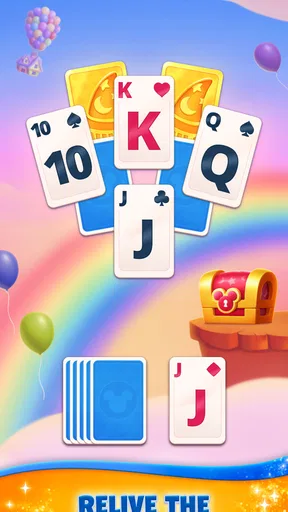
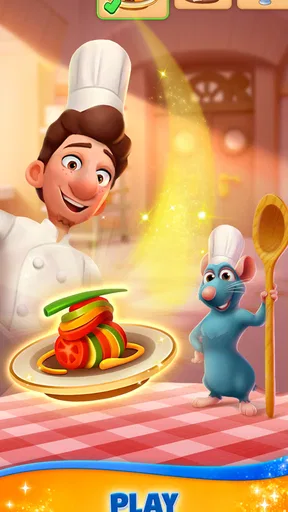
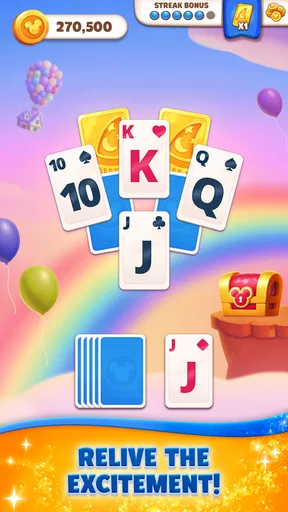
I can see the appeal of Disney Solitaire within a few hands: it pairs familiar card-game logic with the pleasure of seeing Disney characters and scenes woven into the experience. The basic idea is easy to grasp, so I don’t need a tutorial-heavy session to get started. What matters more after the initial novelty, though, is whether each challenge stays satisfying enough to bring me back. My impression is that this is best treated as a cheerful, bite-sized card game rather than a deep solitaire simulator.
Why the first week feels inviting
As a card game from SuperPlay, it draws on a format many people already know: look at the cards, identify a useful move, and work toward clearing the challenge. The Disney presentation gives that familiar routine a particular mood. It makes a short break feel more like a small themed activity than another plain deck of cards, without asking me to learn a complicated set of rules first.
The early appeal is especially strong for players who want to dip in and out. A hand can fit into a quiet moment while waiting for a bus, taking a break, or winding down before bed. I wouldn’t plan a whole evening around it unless I already enjoyed repeating card puzzles, but that isn’t a flaw for a game built around quick sessions. Its approachable setup is the reason it can become a handy default when I have a few spare minutes.
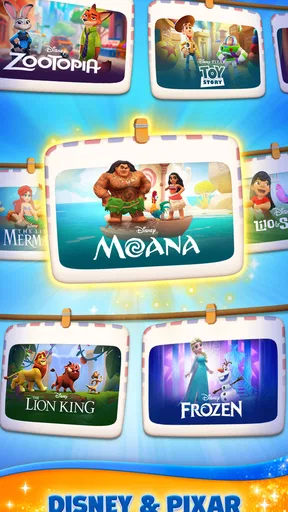
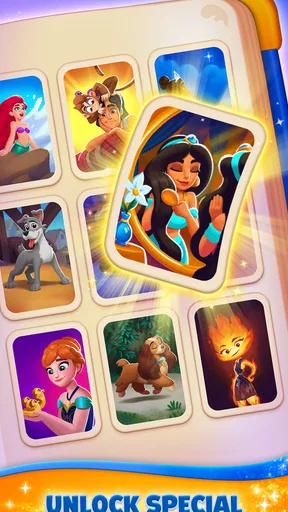
The Disney connection also gives the game a clear audience beyond traditional solitaire fans. Someone who enjoys the characters and the feeling of collecting or unlocking themed moments may find the presentation itself motivating. The store describes the experience as a set of card challenges connected to magical memories; in practice, I’d think of that as a light narrative reward layered over the card play, not as a substitute for a larger story-driven adventure.
It’s free to start, and its Everyone age rating makes it an easy title to consider for a broad household audience. That doesn’t mean every player will enjoy it equally. A Disney fan who likes casual puzzles is a more natural fit than someone seeking competitive play, complex strategy, or a demanding solo card experience. The game has reached over ten million installs, with an average rating of 4.8 from around 883,000 ratings, so it has clearly found a large audience; those figures are useful context, but they can’t decide whether its particular rhythm suits you.
How I’d fit it into an ordinary day
For a realistic routine, I’d open it during a short lunch break, play a challenge, and stop once I need to return to work. That’s a better match than treating it as something that must be played every day. If I had a longer wait, I could play another round, but I’d keep an eye on whether I was continuing because the puzzle was engaging or simply because I wanted to see one more reward. That distinction helps the game stay a pleasant break instead of turning into an obligation.
A useful habit is to decide before opening it whether I have time for one quick session or a longer stretch. Casual card games can make “just one more” feel harmless, and a themed reward can make stopping less natural. Setting a small limit keeps the game in its best role: something enjoyable that fills spare time, not an app competing with every other part of the day.
What remains enjoyable after the novelty
Once the Disney presentation feels familiar, the card challenges have to carry the experience. That is where I’d judge its month-to-month value: do I still enjoy making decisions with the cards, or am I only chasing the next unlock? Players who like the small problem-solving loop of solitaire have a better chance of staying interested, because the core activity is already rewarding to them. Players drawn mainly by character recognition may find their enthusiasm fades sooner if the underlying hands start to feel repetitive.
Compared with a plain solitaire app, this one offers a more themed and collectible-feeling reason to play. A conventional alternative may be better if I want a stripped-back interface and nothing between me and the cards. Compared with a larger story or role-playing game, this is much easier to approach in short bursts, but it won’t offer the same sense of exploration or sustained narrative. The trade-off is straightforward: Disney Solitaire makes casual card play more distinctive, while keeping the actual activity deliberately compact.
One practical tip is to pay attention to what you enjoy most during the first few sessions. If it’s the card decisions, the game may have lasting value even after the presentation becomes familiar. If it’s mainly the prospect of seeing what unlocks next, ask whether that reward loop is enough for you once it stops feeling new. Knowing your own reason for playing is more useful than trying to maintain a daily streak or turning a casual game into a routine you don’t actually want.
The game’s current version is 1.26.3, and it was released on April 16, 2025. I wouldn’t treat a version number by itself as a promise of a particular content schedule. For a long-term player, the more important question is whether the challenges available in the app continue to feel worthwhile at the pace they play. I’d check in when I’m in the mood rather than assuming I need to keep up with every session to enjoy it.
Keeping the game low-maintenance
One strength of a straightforward card game is that it doesn’t demand a complicated setup in my day. I can decide to play without arranging a group, learning a lengthy ruleset, or committing to a long story chapter. That makes it easy to keep installed for occasional downtime. The maintenance burden is mostly personal: remembering that a free-to-play game can include purchase prompts and deciding in advance how much attention or spending I’m comfortable giving it.
In-app purchases range from $0.99 to $149.99 per item. That wide span is worth noticing before a younger or enthusiastic player uses the game, especially on a shared device. I’d review purchase settings and agree on a household rule beforehand rather than relying on willpower in the middle of a session. The game is free to download, but “free to start” and “no possible spending” are not the same thing.
My own approach would be to enjoy the card challenges without treating purchases as necessary to prove I’m progressing properly. If a particular prompt interrupts the relaxed feel, I’d close the game and come back another time rather than spending impulsively. This is practical advice for any game with optional purchases, but it matters here because the appeal is casual: a small break should remain a small break, not turn into a decision about whether to pay.
There’s also a useful distinction between keeping an app installed and keeping it in constant rotation. I’d leave it available if I regularly enjoy short card sessions, but I wouldn’t force a daily habit just to justify the space. If I stop opening it for weeks, that’s a sign the novelty or challenge loop may have run its course for me. Removing it and returning later is a perfectly sensible way to manage a game designed for casual play.
Where repetition can set in
The main risk is that the familiar structure can begin to feel like a routine rather than a puzzle. Solitaire is naturally repetitive, and a Disney theme can make the first rounds more charming without changing that underlying fact. If I want each session to introduce a radically different kind of gameplay, this probably isn’t the right choice. I’d look instead for a game with more varied mechanics or a stronger campaign structure.
Another possible friction point is the balance between playing for the cards and playing for rewards. When I’m focused on the challenge, a themed unlock can be a nice extra. When I’m focused only on what comes next, the game can start to feel like a checklist. I’d take a break if I caught myself tapping through hands without enjoying the decisions. That pause is a better test of lasting appeal than simply counting how often I open the app.
It’s also not an ideal pick for someone who wants multiplayer competition, a serious tournament environment, or a completely neutral solitaire table. The Disney identity is central to its personality, which is a benefit for fans and a distraction for players who just want cards. Likewise, if you dislike purchase prompts or prefer games with no optional spending, you may find a simpler paid or ad-supported alternative more comfortable, depending on what is available in your app store.
For families, I’d treat the Everyone age rating as a helpful starting point, not a replacement for supervision around purchases and screen time. The presentation is broadly accessible, but adults should still decide whether the spending setup and play habits work for their household. For an adult Disney fan, meanwhile, the light tone can make a routine card game feel more personal without requiring a major time commitment.
Who should keep it installed?
I’d recommend it to someone who already likes solitaire, wants a colorful Disney twist, and prefers sessions that can be kept short. It is also a good candidate for a player who wants a casual game that doesn’t require coordinating with friends. If you enjoy watching a collection of themed rewards develop alongside familiar card challenges, that combination gives it a stronger chance of lasting beyond the first few days.
I’d suggest skipping it if the Disney theme doesn’t appeal to you, if you need fresh mechanics to stay engaged, or if you’re trying to avoid games with in-app purchases altogether. A traditional solitaire app is likely a better fit for pure card practice; a deeper puzzle game may suit someone who wants more varied problems; and a story-led game may be more satisfying if characters and plot matter more than the card table. Those alternatives aren’t better in every way—they simply serve different moods.
My long-term verdict is positive but measured. Disney Solitaire earns a place on my device when I want an easy, themed card break and don’t expect it to become my main game. Its strongest lasting quality is convenience paired with a recognizable Disney atmosphere; its biggest limitation is that the familiar solitaire loop may not stay fresh for everyone. I’d keep it installed if I naturally return to its challenges, set a sensible boundary around purchases, and feel no guilt about taking a break when the cards stop being fun.
Pros and cons
Pros
- Familiar Disney artwork gives the card layouts a colorful look.
- Short rounds make it easy to play during a quick break.
- Solitaire rules are simple for new players to understand.
- The game adds goals beyond clearing each card layout.
- Progress unlocks themed scenes inspired by Disney stories.
Cons
- Random card deals can make some levels feel luck-dependent.
- Limited moves may require several attempts to finish a level.
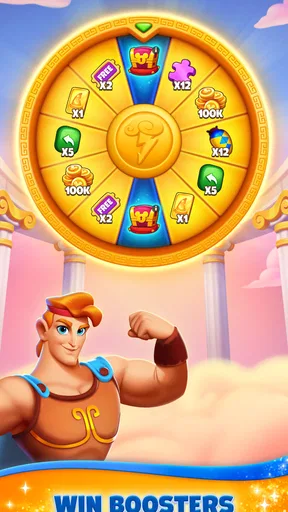
- Boosters can become important as the difficulty increases.
- Frequent events may make the game feel demanding to keep up with.
- The app requires an internet connection for some features.


